
Clash Detection
Find geometric conflicts
in seconds
Load one or two IFCs, run a clash check, and get a list of every geometric intersection between building elements. Visualize each clash in 3D and export results to BCF or PDF for team review.
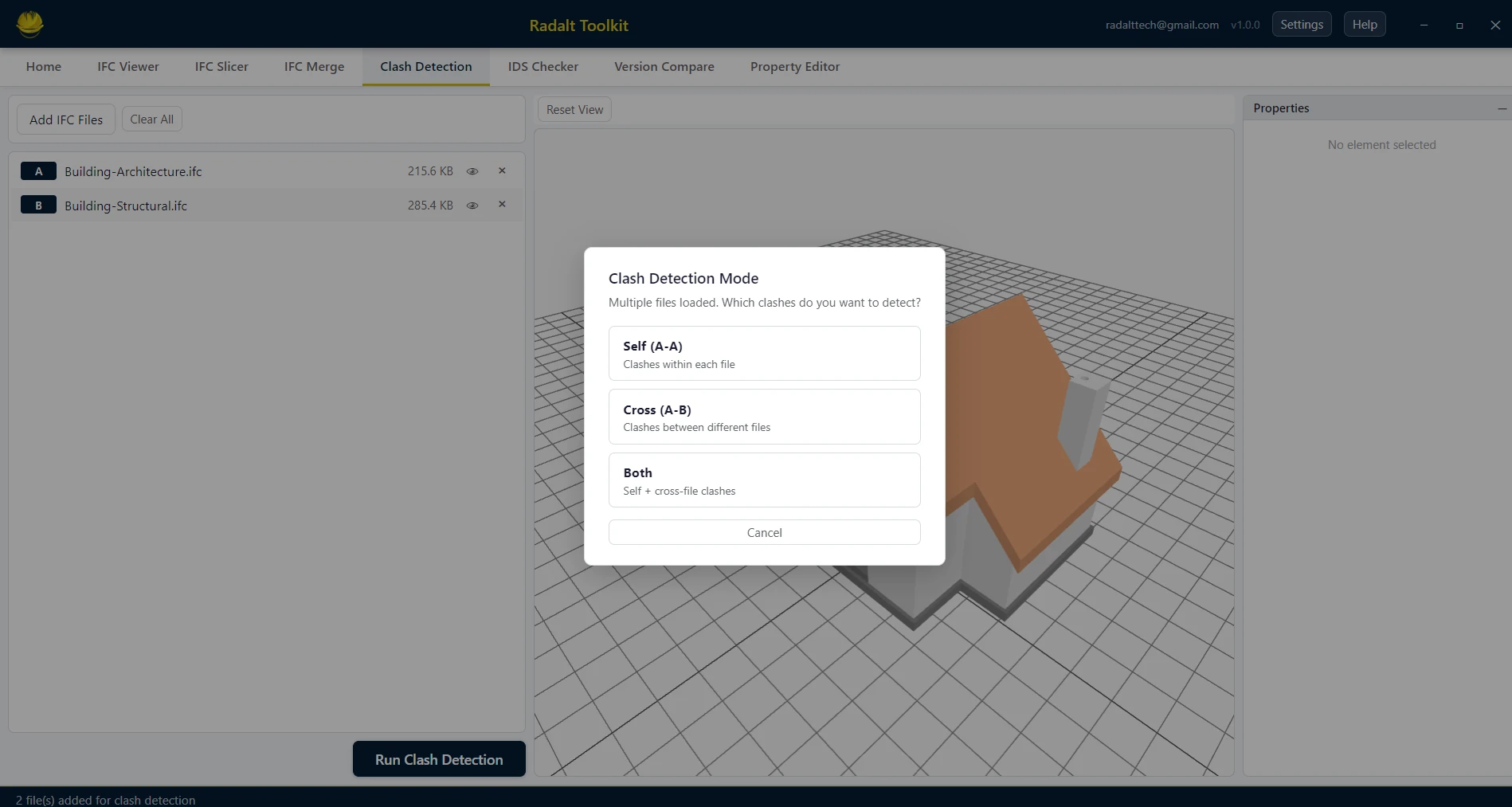
Scenarios recreated using sample files from buildingSMART International website.
Capabilities
What Clash Detection can do
Single IFC Clash Detection
Run a clash check within a single IFC to find elements of any two categories that intersect each other — for example, structural beams vs. MEP ducts.
Multi-IFC Clash Detection
Load two separate IFCs (e.g. architectural vs. structural) and detect geometric intersections between elements across both files.
Smart Filtering
Opening elements — doors, windows, and other IfcOpeningElement subtypes — are automatically excluded from clash detection to eliminate false positives.
3D Clash Viewer
Click any clash in the result list to immediately highlight both clashing elements in the 3D viewer and display their full IFC properties side by side.
Export to BCF or PDF
Export clash results as BCF 2.0 or 3.0 files (with 3D viewpoints) for import into Revit, Navisworks, or any BCF tool — or generate a formatted PDF report with clash lists and 3D screenshots.